The Scrape With Claude Playbook
I've created millions of dollars in pipeline for software companies, and these days I do most of it by scraping with Claude. Market maps, enriched lists, verified contacts for real campaigns. Every week.
I'm Chris. I do marketing and GTM engineering. If you're in sales, marketing, or GTM, this will make you genuinely dangerous with Claude, in plain English, no code and no technical docs. Here's everything I know. Nothing held back.
You sell booking software to golf courses.
There are about 16,000 in the US. A few thousand should be paying you right now. They aren't, and you can't even tell which ones they are.
That's the whole problem. Not the selling. The knowing.
Because everything you'd need is already public. Which courses run a dying tee-time system. The name of the GM or owner. An email that won't bounce. It's all sitting on their own websites today. Nobody hid it.
Reading 12,000 websites just used to take an intern army. Now you point Claude at it and this comes back:
| course | state | type | contact | |
|---|---|---|---|---|
| Pebble Beach Golf Links | CA | Resort | ✓ found | ✓ verified |
| Bethpage State Park | NY | Municipal | ✓ found | ✓ verified |
| Erin Hills | WI | Daily Fee | ✓ found | ✓ verified |
| Winged Foot Golf Club | NY | Private | ✓ found | no public email |
| Chambers Bay | WA | Municipal | ✓ found | ✓ verified |
No intern army. You describe what you want, Claude reads the websites, and rows like these stack up while you do something else. Set it running overnight and you wake up to the whole market in a spreadsheet. I've enriched 5,000 companies overnight for about $12. Verified work emails cost me about three cents each. Those aren't projections, they're receipts from real runs, and the exact steps behind both numbers are in this book.
This playbook is everything I know about doing this. Three reasons to scrape, told through one story start to finish. A toolkit of seven ways to get data off any website, for when sites cooperate and when they don't. Three copy-paste playbooks: find the companies, find the contacts, run the outbound. And a five-minute setup that leaves you with a working scraping machine.
What you need
Everything in this book runs in a terminal with Claude Code, which sounds scarier than it is. A regular Claude subscription is all you need. A few free tools help along the way, and a couple of paid ones show up in the later sections, but nothing costs a dime to start. Full setup steps are in Quick Start, and they take about five minutes.
There are generally three reasons to scrape. To build a list. To create content. To find a signal. That's the whole taxonomy, and most people only ever use the first one, which also happens to be the least valuable of the three.
We're going to do all three with one story: you sell booking software to golf courses. Same market, same data, start to finish.
And here's what we're not going to do. We're not going to teach you to write code. We're not going to make you read technical documentation. That stuff is irrelevant now. By the end of this book you'll be genuinely dangerous scraping with Claude Code, and you'll have done it in plain English.
1. The List
Every outbound motion starts the same way: who are we even talking to?
The old answer was buy the list. Pull an export from one of the big sales databases, pay per contact, get the same rows every competitor already bought. The data is months old, the titles are wrong, and the "golf" filter returns driving ranges, mini golf, and a guy who sells golf carts.
The scraped answer is different. You build the list from the source, and the shape of the work is always the same three steps.
Companies first. Get every golf course in the country into one table. Name, address, city, state, website. There are a ton of ways to find companies: scrape Google Maps, industry directories, association member lists, anywhere your market shows up online. Claude cleans up the duplicates and filters out whatever junk gets caught in the net.
Then people. For each course, who runs it? Course websites have staff pages, "meet the team" pages, contact pages. Claude reads each one and pulls the GM, the director of golf, the owner. No staff page? There are fallbacks, and they're in the toolkit.
Then contact info. A name without an email doesn't get you anywhere. Finding emails cheaply comes down to one rule: free methods first, paid methods last, verify everything. Start by scraping the course's site for published emails. Then work out the company's email pattern and guess the rest. Most companies use one pattern, like first.last@, so a single real email tells you how to spell everyone else's. Only when the free methods miss do you pay for a lookup, and that costs pennies. And every address gets verified before it touches your CRM, no matter where it came from. All in, I land around three cents per verified contact. The full recipe is later in this book, prompts included.
| # | course | state | type | booking system | gm name | verified | |
|---|---|---|---|---|---|---|---|
| 1 | Pebble Beach Golf Links | CA | Resort | @pebblebeach.com | ✓ | ||
| 2 | Bethpage State Park | NY | Municipal | @parks.ny.gov | ✓ | ||
| 3 | Erin Hills | WI | Daily Fee | @erinhills.com | ✓ | ||
| 4 | Winged Foot Golf Club | NY | Private | · | no public email | · | |
| 5 | Chambers Bay | WA | Municipal | @chambersbay.com | ✓ | ||
| 6 | Pinehurst Resort | NC | Resort | @pinehurst.com | ✓ | ||
| 7 | Torrey Pines Golf Course | CA | Municipal | @sandiego.gov | ✓ |
Sample rows. Names, emails, and booking system vendors masked. The highlighted column is the signal field, covered later in Part One.
What comes out the other end is technically just a spreadsheet. But load it into your CRM and it's something bigger: the foundation of your entire go-to-market engine. Nobody else has this exact spreadsheet, and that gap is the whole reason the rest of this book works.
So what do you do with it? Mostly four things. Cold email, where the same table lets you send the right pitch to each segment instead of one blast. Call lists, ranked so your reps dial the best-fit accounts first. Direct mail, using the logos and photos the scrape already grabbed. And paid audiences, uploading the list so your ads only reach people who can actually buy. One table, four channels.
Hi {{first_name}},
{{course_name}} is a {{course_type}} course, and for courses like yours, Tuesday afternoon tee sheets are the hardest dollars to recover.
We help daily-fee courses on {{booking_system}} capture last-minute cancellations and fill the empty slots automatically, without discounting your walk-up rate.
Want a 90-second video of it working on {{booking_system}}? I'll send it over, no call needed.
One cold email, built from the list. Every colored chip is a field the scrape filled in.
One evening of this beats a month of an SDR copy-pasting from Google. That's not a knock on SDRs. It's the whole point. People should do the part people are good at.
A list is the obvious thing to do with scraped data. It is not the only thing. The same dataset that feeds your outbound can feed your content, and that's the next chapter.
2. Create Content
A scrape builds a list. It also builds something most people walk right past: proprietary data. Data nobody else has. And proprietary data makes content nobody else can make.
Content is king in 2026. It's how you build an audience, how you find a voice, how you tell your company's story and stake out your positioning. The problem is the noise. Everyone is posting, most of it is the same recycled take, and opinions are free. What's rare is data. When you show up with a number nobody has seen, people stop scrolling. That's the whole game now, and scraping is how you get the number.
Back to golf. We scraped 12,339 courses and read the booking system off every site that showed it. That was for the list. But the same table holds something nobody has published: which platforms actually run US golf, and how it splits by course type. One in four courses run foreUP. Most private clubs run one of three systems. That's not a sales list anymore. That's a post.
I scraped 12,339 US golf courses to see who runs their tee sheets.
1 in 4 run the same platform. Most private clubs run one of just three. Here's the whole market:
Sample figures for illustration. The point is the format: the same scrape that builds the list becomes a post only you can write.
The hard part isn't the data, it's knowing what to point it at. Three questions help. What common belief in your market can you challenge? What resource would make your ideal customer's day better? What does your audience secretly believe but nobody says out loud? Those are the posts people share. Most of the time you can answer one of them with data you already scraped, and the answer is more convincing than any opinion because it's a fact.
It works in any market and any format. Scrape the tools your industry uses and rank them. Scrape job postings and show who's hiring and for what. Scrape pricing pages and map where the market really sits. That's a tweet, a thread, a blog post, a small report, a landing page that earns links. Pick the format that fits where your buyers already are.
And it compounds back into the list. The post gets shared by the exact people you want to sell to. They follow you, some of them reply, a few raise their hand. You published a number and a few prospects walked in the door. Same scrape, second job.
3. The Signal
A list tells you who exists. A signal tells you who to call this week, and what to say when they answer.
Here's the one that matters in our golf story. Every course that takes online tee times runs some booking system, and their own website tells you which one. The booking widget, the page their tee sheet loads from, the fine print at the bottom of the reservation page. You don't have to guess and you don't have to ask. The site announces it to anyone who looks.
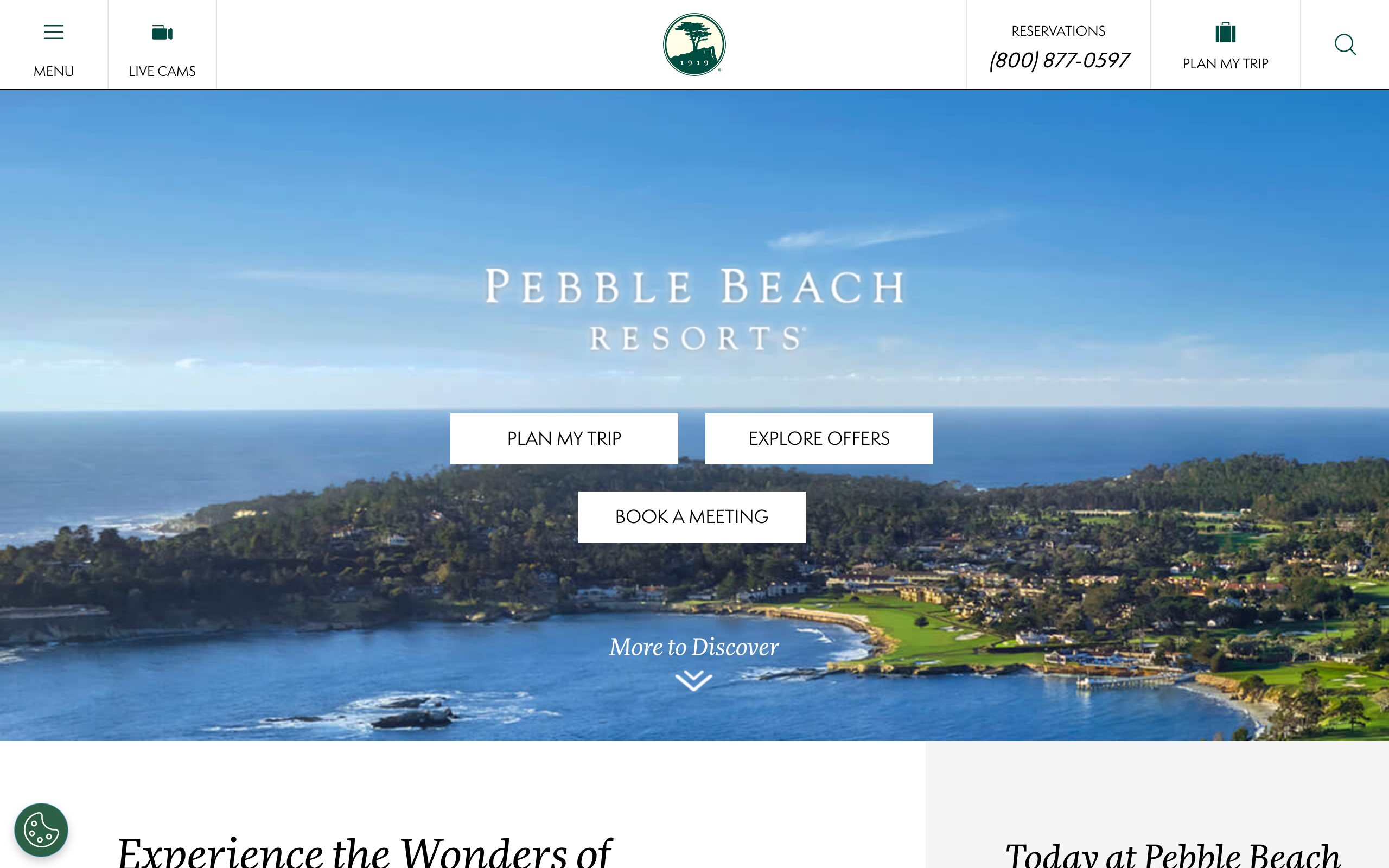
pebblebeach.com, captured June 2026. This is the page doing the announcing: the reservations flow, the booking widget, the fine print under it. Everything the scrape reads, published by the course itself. Shown for editorial illustration only.
Zooming in: the fine print at the bottom of the booking widget. The vendor name is masked here. On the real page it's printed in full, on every course, for anyone who looks.
If you sell booking software, sit with that for a second. The single most important fact about a prospect, whether they run the legacy system you replace or the modern one you lose to, is printed on their own website. Scrape that one field across 12,000 courses and your flat list becomes a ranked pipeline. Courses on dying systems float to the top. Courses that just signed with your competitor drop out before you waste a sequence on them.
That's what a real signal is, and it's worth naming because the lead-gen world is full of fake ones. The "personalization" industry will sell you an opener like "saw you went to UW, go Huskies." That's not a signal. That's proof you ran a LinkedIn scrape, and the prospect knows it the second they read it. A real signal is a fact about their business that changes what you would say to them. One is flattery. The other is relevance. Relevance is the only one that books meetings.
And here's where it gets better. The same scrape that reads the booking system can read what kind of course this is. The industry segments courses into types: Daily Fee, Municipal, Resort, Semi-Private, Private, Multi-Course Operators. A course's website tells you which one it is. The rate card, the "membership" tab or the lack of one, the wedding venue page. Claude sorts every course into those buckets as part of the same pass.
Now, why bother? Because the type changes the pitch completely.
A daily-fee or municipal course lives on filled tee sheets. Their KPI is booking dollars, and their nightmare is Tuesday at 2pm with nobody on the first tee. Your pitch there is yield: fill the empty slots, capture the last-minute cancellations, more confirmed dollars per day.
Now take that exact pitch to a private club and watch it die. Members already paid. The tee sheet isn't a revenue lever, it's a member benefit. Pitch a private club on "fill your empty slots" and you've announced you don't know what business they're in. Their KPI is member experience and retention, so that's the pitch.
A resort cares about the guest's whole stay and the package upsell. A semi-private course is a blend of both worlds. A multi-course operator cares whether your thing works across nine properties without nine logins.
Same product. Six different cold emails.
Notice what just happened, because this is the most important paragraph in the book. The scrape did the part that scales: it read thousands of websites and sorted every course it could into a bucket. What it didn't do is know what each bucket cares about. The difference between how a private club thinks and how a municipal course thinks is not something you should trust AI to figure out for you, at least not yet. That's where you come in. You're the expert on your market. Your understanding of the customer is what turns a pile of scraped data into a pipeline, and there is no substitute for it. The scrape gets you to the doorstep. You can't outsource knowing which door you're standing at.
Everyone selling AI lead-gen right now is selling the opposite story, that the tool does it all. The tool does the reading. You do the knowing. When you bring real understanding of your market, scraping stops being a data chore and becomes the most unfair advantage in your stack.
Same move works anywhere, by the way. HVAC companies, law firms, anyone. Want to see another example? I wrote up the same technique on dentists.
Part One was why. This is how.
Seven ways to get data off a website. The first three are an escalation ladder, the order you try on any one stubborn site: read the code, and if that comes back empty, bring a real browser, and if the site blocks even that, route around the block. Most of the web gives up on the first rung, and you only climb when a site fights back, because each step adds a little cost or setup.
The rest aren't rungs, they're specialist tools you pick by the situation, not by what failed before. Catch the JSON and the backlink trick are different angles of attack for different questions. The last two aren't about getting data at all: one keeps your costs down at scale, the other rents a scraper someone already built. I'll flag which is which as we go.
This is the one part of the book where I slow down and get precise, because once you understand what each of these actually does, you'll know which one to reach for without asking anyone. Each section is the short version: what it is, when to use it. The full walkthrough, with complete prompts you can copy and paste, lives on its own page, linked at the end of each section.
Read the HTML
Every website is just code. Your browser downloads that code and paints it into the page you see. And Claude is extremely good at reading code.
Most websites will hand over their code to a single direct request, the same request your browser makes when you visit. So the method is three steps. Grab the page's code. Trim out the obvious junk, the menus and ads and styling. Then hand what's left to Claude and ask for exactly what you want.
That ask is where your customer knowledge starts earning. You're not limited to the obvious fields. Brief Claude like you'd brief a sharp assistant: "Read this golf course's website and tell me which booking software they use, whether the course is private, municipal, or resort, and grab the name, address, and phone number." You decide what's worth knowing, because you know the market. Claude just goes and reads.
This is your workhorse. It covers more of the web than you'd expect, it costs nothing, and it doesn't break when a site changes its layout, because Claude reads pages by meaning, not by position. Old scrapers were rigid instructions like "grab the third box from the top," and they shattered on every redesign. Claude reads the page like a person. Most of the golf machine in Part One runs on this one method.
Full walkthrough: Turn any website into a clean list
Bring a headless browser
Some websites send you an empty shell of code, and then JavaScript, code that runs inside your browser, builds the actual content a moment later. Booking calendars work this way. So does anything with a loading spinner. A direct request downloads the JavaScript but never runs it, so what you get back is the empty shell. No data.
The fix: Claude can drive what's called a headless browser, a real web browser with no window. It opens the page the way you would, the JavaScript runs, the content appears, and then Claude reads what's actually on screen. Slower than a direct request, and it needs a small one-time setup, which is exactly why it's second on the list and not first.
Same page twice. The direct request gets the spinner. The headless browser waits for the JavaScript, then reads the loaded tee sheet.
Full walkthrough: Scrape the sites that need a real browser
Catch the JSON
Right click any web page and hit Inspect. That messy panel that pops open is your browser's developer tools, and it's a goldmine if you know where to look.
Click the Network tab and reload the page. You're now watching every file the page downloads as it builds itself. Most of it is noise, images and fonts and styling. But on data-heavy sites, somewhere in that list is a file in a format called JSON. JSON is how websites store data before dressing it up for display: clean, labeled, structured. The pretty page is for you. The JSON is for the site's own code. Both arrive in your browser, and nothing stops you from reading the neat version.
Grab that file's address, hand it to Claude, and you skip page-reading entirely. The data comes back already structured and complete. And here's the kicker: the JSON is often richer than the page. Sites routinely send more fields than the designer chose to display, which means the JSON can hold data you literally cannot see in the browser.
Full walkthrough: Get the data a site loads behind the scenes
The backlink trick
Some software products give every customer their own web address. A booking tool might host each course's tee sheet at a subdomain like yourcourse.bookingtool.com, or at a unique page like bookingtool.com/book/yourcourse. The moment a vendor does that, their entire customer base becomes public record, because the SEO industry built indexes, tools like Ahrefs, that track every address on the web and who links where.
So you search the index backwards. "Show me every subdomain of bookingtool.com." Out comes the customer list. Not a sample of it. The whole base.
The catch: this only works when the vendor hands out customer subdomains or unique links, so check before you commit. Find one course you know runs the platform, look at where their booking page actually lives, and if their name is in the web address, the trail exists.
An Ahrefs-style export. bookingtool.com is a placeholder vendor, the course subdomains are illustrative. The shape is exactly what comes back: the whole customer base in one pull.
Full walkthroughs: Build a competitor's customer list and Find a website's hidden pages
When a site doesn't like bots
Nothing in this book is sneaky. You're reading public pages. But some websites block anything that looks automated, even when a human could read the same page freely. You make a direct request, you get a wall. In the golf run, a handful of the course sites threw up exactly this kind of wall, and this is the only thing that got past them.
Luckily there are paid services built for exactly this. They route your request through normal residential internet connections, so it arrives at the site looking like a regular visitor, and the site answers normally. It costs a few cents per page.
Full walkthrough: Reach the sites that try to block you
Cheap models at scale
This one isn't about getting data. It's about not overpaying to process it.
When you're reading one page, use Claude and don't think twice. When you're classifying 12,000 pages, most of that is easy, repetitive work. "Is this course private or public" is not a hard question, and you don't need a frontier model to answer it 12,000 times. There are small, fast, open-source models that answer easy questions for fractions of a penny per page, and services like OpenRouter put hundreds of them behind one account.
The pattern: build the scrape with Claude, then let the cheap model run the bulk of it. Claude does the thinking, the workhorse model does the repetition, and Claude comes back for the judgment calls.
Rent a prebuilt scraper
Sometimes the scraper you need already exists. Apify is a marketplace of ready-made scrapers for the big public sources, Google Maps, LinkedIn, Indeed, and thousands more. Renting one costs a few dollars per run, and for mainstream sources it's the fastest first draft of a company list money can buy.
 Google Maps Scraper
 Indeed Scraper
 Reddit Scraper
 Instagram Profile Scraper
 Amazon Product Scraper
Six of the thousands. If the source is big and public, the scraper is already built and rented by the run.
One rule: always use their filters. Pull "golf courses in Texas," never "everything, I'll sort it out later." I've watched an unfiltered run come back three-quarters junk.
Before you reach for any of those seven tools, ask one question: has someone already published this data, clean and free, behind an API?
Because the fastest scrape is the one you don't have to do. A lot of what you'd scrape the hard way is sitting in a free API right now, structured better than anything you'd pull off a page. This is the shortcut that beats the whole toolkit, which is exactly why it gets its own part.
Where to get the data
The golf list started with one. Every course in the country came out of OpenStreetMap: free, no key, in a single pull. No website-reading required for step one, because the data was already published.
There are more of these than you'd think, and most people have no idea they're free. Here's the whole list I actually reach for, grouped by how free each one really is. Every name links straight to its docs.
The move is always the same: seed the list from a free source up top, fall back to the toolkit only for the fields the API didn't have, and run the names through the cheap verification only at the very end. That's how you land around three cents a verified contact.
The toolkit is ingredients. Here are four full recipes. The first three match the three steps you watched in Part One: find the companies, find the contacts, run the outbound. The fourth turns the same scrape into content. Chain them together and you've built the machine.
Playbook one: find the companies
Goal: every company in your market, in one spreadsheet. For most markets the fastest source is Google Maps, and you don't have to build anything, because the scraper already exists: the Google Maps scraper on Apify.
Two rules before you spend a dollar.
Companies only, never contacts. Apify scrapers will offer to chase down emails and contact info. Don't. It's expensive and the quality is poor. Pull the company name, address, website, and category, and let the next playbook handle contacts for a fraction of the price. Under 2 cents per company is the bar.
Small run first. Scrape your home county before you scrape the country. The first run always catches junk. Search "golf courses" and you'll get golf cart dealers, driving ranges, and a mini golf bar with great reviews. A small run costs pennies and teaches you exactly which categories to filter out, so the big run comes back clean instead of 30% noise. Burn $1 learning, not $50.
When the results land, hand the file to Claude: dedupe it, drop the junk categories you found in the test run, and flag any company with no website, because you can't enrich what you can't read. That spreadsheet is The List from Part One, step one done.
Playbook two: find the contacts
Takes the company list and gives you back verified work emails for about three cents each. Most marketers go to Apollo, Hunter, or Clay for this, where the going rate is ten to fifteen cents per verified contact. But those tools aren't magic. Most of their contacts are pulled from publicly available sources, and with Claude and a little creativity you can find the same contacts for a third of the cost.
The waterfall is dead simple. Try the cheapest option first, escalate only when it misses. The expensive options sit at the bottom because most contacts never need them.
Stage one is Perplexity Sonar, an AI model with web search built in. Give it the company and the title you want. It comes back with a name and, often, the actual email. Half a cent a call, and it finds most people on its own.
If Sonar comes up empty, scrape the company's own site. Read the pages most likely to hold contacts: /about, /team, /leadership, /contact. Free, and it works for most websites.
Now you've usually got names. The question is emails. If you found even one real email at the company, read the format right off it: first.last, firstlast, flast. Most companies use one pattern, so a single real address tells you how to spell everyone else's. If you got names but no email at all, ask Hunter for the pattern. One cent. Then apply the pattern to every name. Free.
Last stage: SMTP-verify every generated email before it counts. I use Bouncer at a cent per check (MillionVerifier is even cheaper). This step is a requirement, not a suggestion. Unverified emails bounce, and bounces tank your sending domains. Bounces get dropped. What survives is a list of verified, real, in-the-inbox-tomorrow contacts.
For the hard targets where everything came back empty, there's one more fallback: a Google search scrape that surfaces the people the earlier stages missed. Slower and a couple cents more, but it catches the stragglers.
You don't have to build any of this. I packaged the whole waterfall as a Claude Code skill:
Drop in your API keys, point it at the spreadsheet from playbook one, get back verified contacts. The full write-up with a live run and per-stage costs is at chris-as-is.com/projects/three-cent-contacts, and the code is on GitHub.
Playbook three: run the outbound
You have a list and verified emails. Here's the cold email setup I'd run with it. If I could only keep one channel for the rest of my career, it would be cold email. It's fast, it's cheap, and it creates pipeline. You need three things: prospect emails, mailboxes to send from, and a tool to send with.
The emails you already have. That was playbooks one and two, at under 5 cents per contact. (If you skipped ahead, you can also just buy a list. Apollo, Hunter, Clay and others sell contacts for 10 to 15 cents each. Fine to start, but everyone else bought the same rows.)
Get mailboxes. Start with 10 to 20, depending on budget. They cannot be on your real domain. Cold email puts a domain's reputation at risk, and you don't gamble with the domain your business runs on. If you're fishsticks.com, buy alternate domains like getfishsticks.com and tryfishsticks.com and create the mailboxes there. You can set them up yourself in Google Workspace (admin.google.com) or buy them through your sending tool.
Get a sending tool. Smartlead, Instantly, Lemlist, Woodpecker, they all work and they're all under $100 a month. Connect every mailbox. You'll have to log into each one to authenticate, it's a slog, just do it. Then set the mailboxes to warm up for two weeks minimum. Warmup is the tool quietly sending and answering mail between real inboxes so Google learns you're legit. Don't skip it and don't rush it.
Congratulations, that's 90% of the work, and none of it was writing. The copy is on you, and you're better equipped for it than you think, because the whole signal chapter was secretly a copywriting lesson: you already know what each segment cares about.
The sending rules, and these aren't suggestions:
Don't track opens. Don't track clicks. No links, no images. All three hurt deliverability.
One email to everyone on the list, once a month. One touch, no fancy sequences. Start at 10 to 15 emails a day and raise it after a week or two.
Judge yourself on reply rate and nothing else. Half a percent is acceptable. One percent is great. Out-of-office replies don't count.
Hi {{first_name}},
Saw {{course_name}} is a {{course_type}} course. For courses like yours, empty weekday afternoons are the main thing to fix.
We help {{course_type}} courses on {{booking_system}} fill those slots automatically. Want the 90-second video?
No links, no images, no tracking. Plain text and the fields the scrape filled. That's the whole trick.
This setup gets you 80% of the performance available, out of the gate. There are upgrades, private sending infrastructure, warmup pools, fancier syntax, but you don't need any of them to get results. There's no reason you can't touch every prospect in your market, every single month.
Playbook four: turn the scrape into content
Same scrape, second job. The table you built for outbound is also proprietary data, and proprietary data makes content nobody else can make. This is reason two from Part One, and here's the recipe.
Pick the angle. Three questions find one almost every time. What common belief in your market can you prove wrong? What resource would make your ideal customer's day better? What does your audience secretly believe but nobody says out loud? Answer one of those with a number and you've got a post people share, because it's a fact, not an opinion.
Query the data you already have. You don't scrape anything new. You ask the spreadsheet a question. In the golf story we already read the booking system off every course site that showed it for the list. Point Claude at that same column and ask which platforms actually run US golf, and how it splits by course type. Out comes a stat nobody has published: one in four courses run the same platform.
Pick the format and ship it where your buyers already are. The same finding is a tweet, a thread, a short report, or a landing page that earns links. Lead with the number, show the breakdown, and let the data do the convincing.
I scraped 12,339 US golf courses to see who runs their tee sheets.
1 in 4 run the same platform. Most private clubs run one of just three. Here's the whole market:
Sample figures for illustration. The point is the format: the same scrape that built the list becomes a post only you can write.
And it compounds back into the list. The post gets shared by the exact people you want to sell to. They follow you, a few reply, a couple raise their hand. You published a number and prospects walked in the door. The list feeds the content, the content feeds the list.
Quick Start: a scraping machine in five minutes
Three pastes and you have everything this book uses.
1. Install Claude Code.
Open the Terminal app and paste:
2. Sign in.
Type claude and hit enter. It walks you through logging in with your regular Claude account. No API keys, no configuration.
3. Install the scraping tools.
You're now talking to Claude. Paste this and let it do the work:
That one paste gives Claude a headless browser it can drive (Playwright, a real browser with no window, for the pages that build themselves with JavaScript) and a stealth browser (CloakBrowser, for the pages that act differently when they smell a bot). You won't need either on day one, plain page grabs cover most of the web, but now they're sitting there for the day a site fights back. And no, you don't need to install anything else by hand. If something's missing, Claude installs it and tells you.
The toolkit, in one place
Six tools run everything in this book. You already have the first three from the paste above. The other three are accounts you create when a chapter calls for them, not before.
Claude Code is the engine, the AI in your terminal doing all the work. Playwright is the headless browser for the pages that build themselves with JavaScript. CloakBrowser is the stealth browser for the sites that block bots. Then the pay-as-you-go three: Apify rents you ready-made scrapers for big sources like Google Maps. Bright Data makes your requests look like home internet when a site blocks everything else. And OpenRouter gives Claude small, cheap models for classifying thousands of pages at fractions of a penny each.
What about Python? Claude writes most of its scrapes in Python, and that's Claude's problem, not yours. You never install it or touch it by hand. If your machine is missing it, the paste above covers that too: Claude installs what's needed and tells you what it did.
That's the whole setup. From here you just talk. Paste in a URL, describe the spreadsheet you want, and go. The first walkthrough is the best first run, and the three playbooks chain it into the machine: find the companies, find the contacts, run the outbound.
If you run your first scrape and it works, tell someone. Better, tell me: @chris_as_is. I love to see other people's projects.
That's the whole playbook
No locked chapter, no upsell. Everything I do is on these pages. Most of you should just build it, and the first run costs about a dollar, so go.
The rest of you would rather not run it yourself. You bring the knowing, I'll build the machine. DM me @chris_as_is.
Last verified: June 2026. Scraping breaks. When a play stops working, I fix the page, that's the point of a living playbook.